Topsoil Applications
Overview
The Topsoil Applications module in TytonIQ provides a structured workflow for allocating, scheduling, and recording topsoil placement across rehabilitation polygons. This ensures that volumes are calculated accurately, resources are tracked, and application records are maintained for compliance and reporting.
Step 1: Select a Polygon
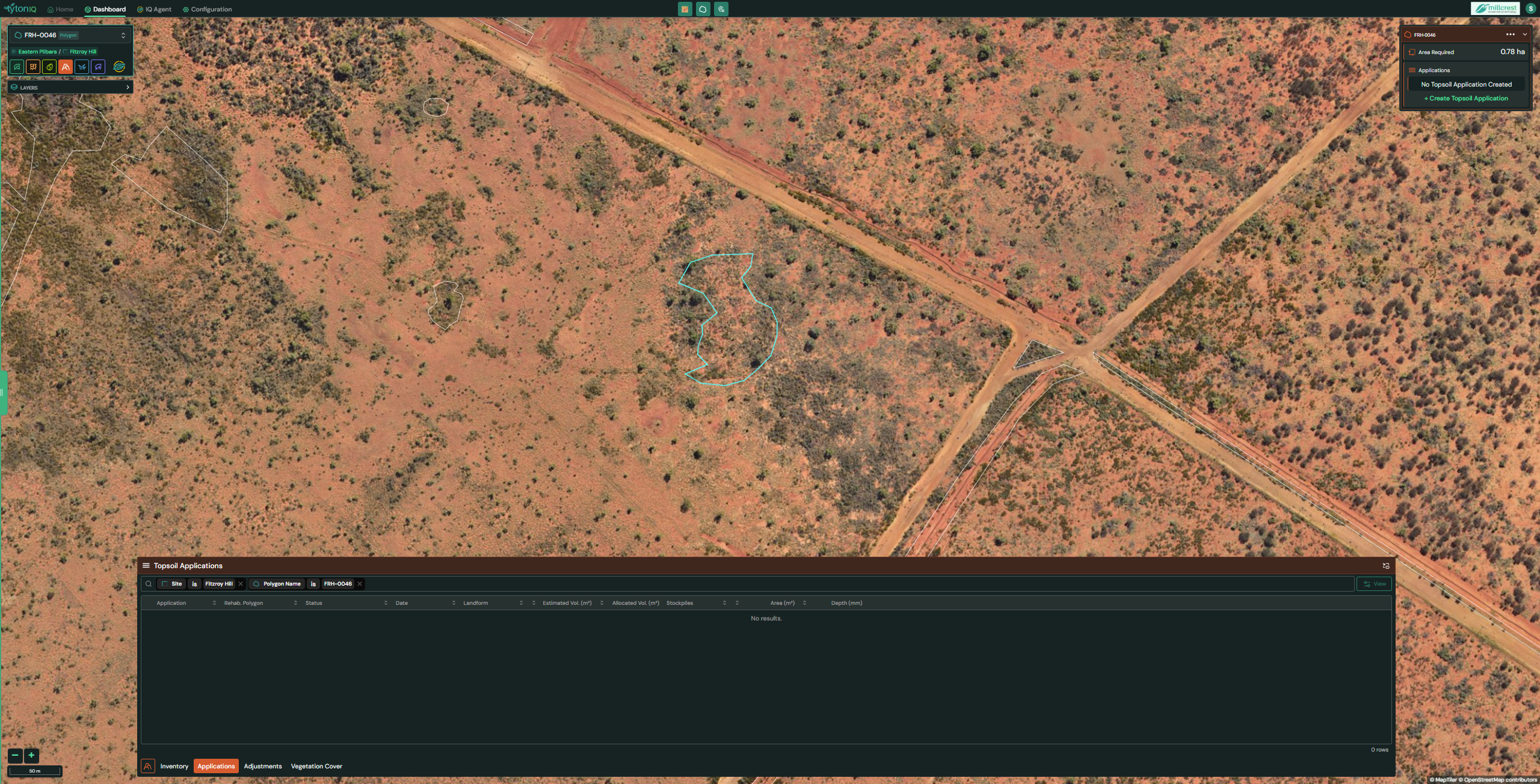
- From the map view, select the polygon you wish to apply a topsoil application to.
- The selected polygon will be highlighted in turquoise.
- Click + Create Topsoil Application in the top right corner to begin.
Step 2: Review Available Stockpiles
-
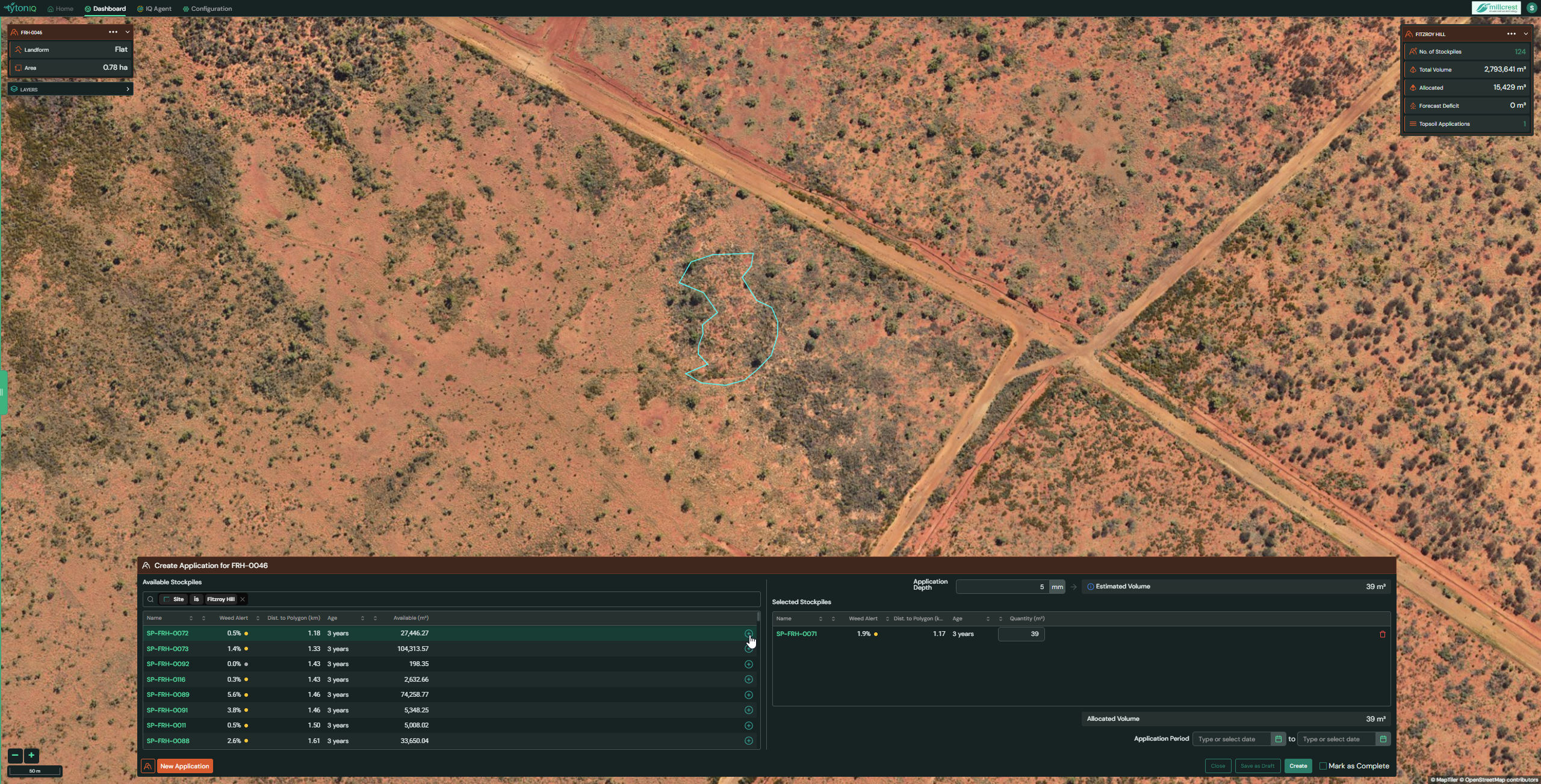
The system displays a list of available stockpiles, ordered by proximity to the polygon.
-
Each stockpile includes key details such as:
- Name
- Weed Alert (low/medium/high)
- Distance to polygon (km)
- Age (years since stockpiling)
- Available Volume (m³)
-
In the top-right, enter your desired Application Depth (mm).
-
TytonIQ will automatically calculate the Estimated Volume (m³) required for the polygon.
-
Use the Plus (+) icon to add a stockpile to your application.
-
Set the Application Period by selecting a start and end date.
Once satisfied, click Create to generate the application.
Step 3: Application Status
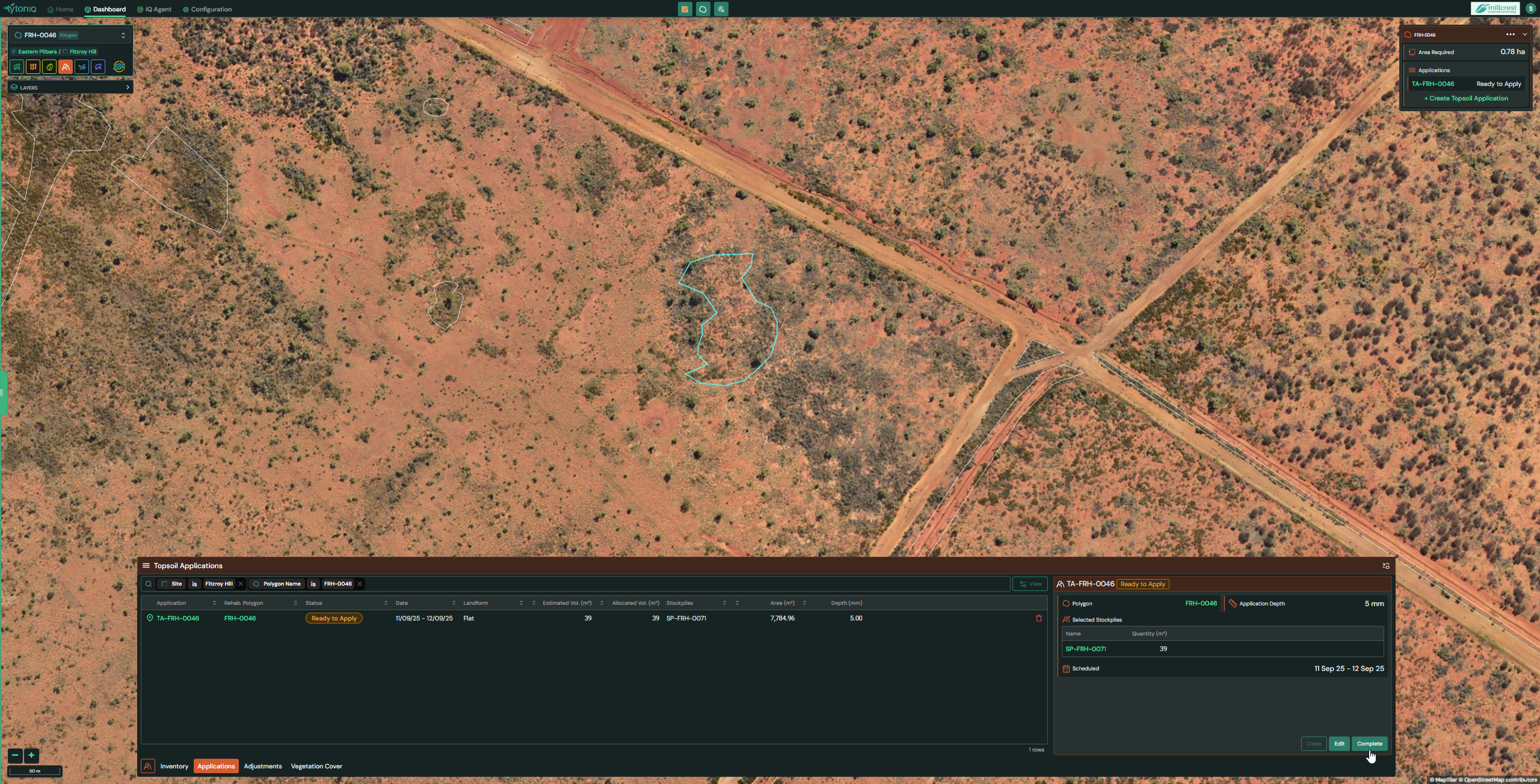
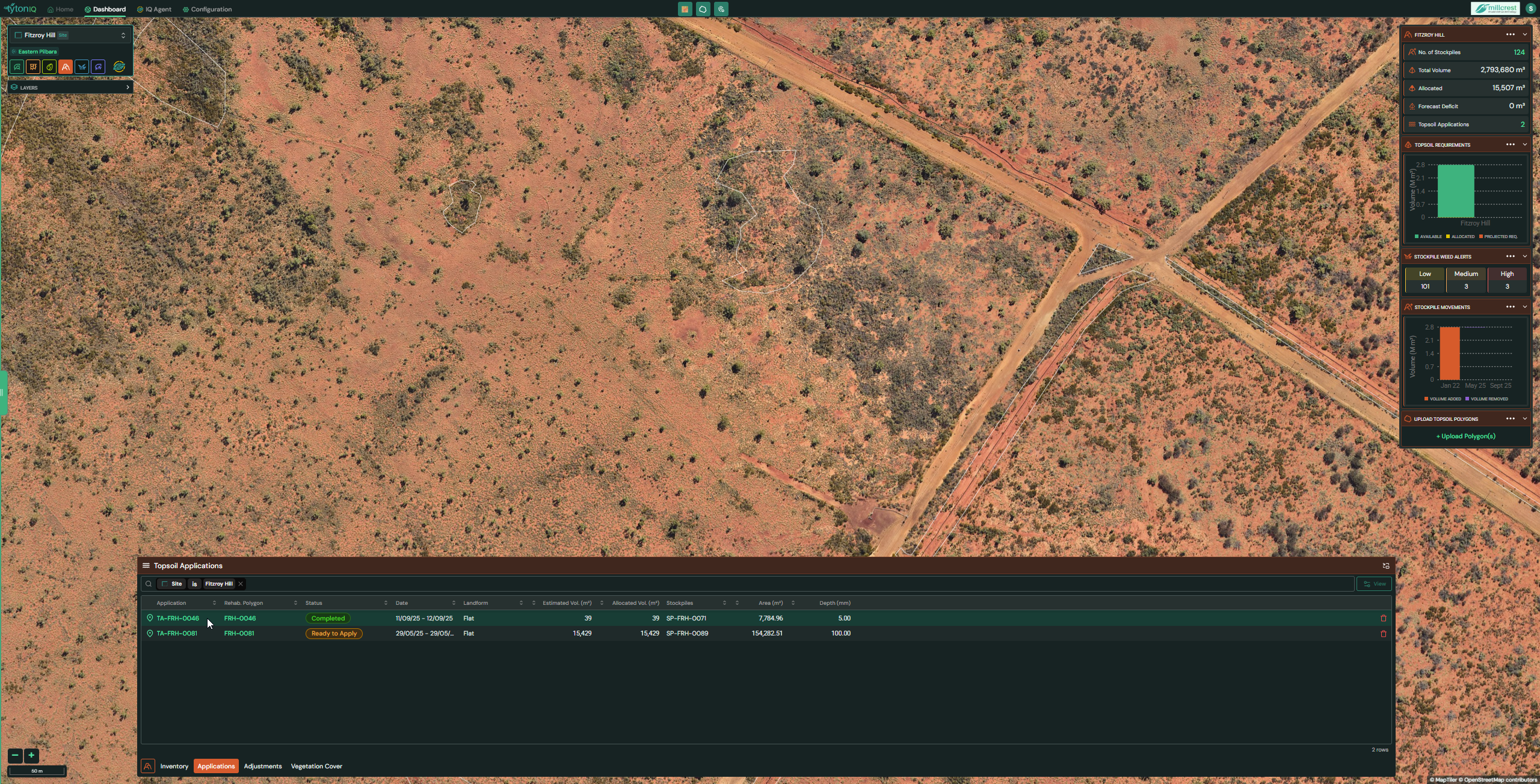
- Newly created applications appear in the Applications drawer.
- At this stage, the application will show as Ready to Apply.
- Once the Topsoil application has been applied, Select Complete.
Step 4: Completing an Application
-
Once the topsoil has been applied in the field:
- Open the relevant application record.
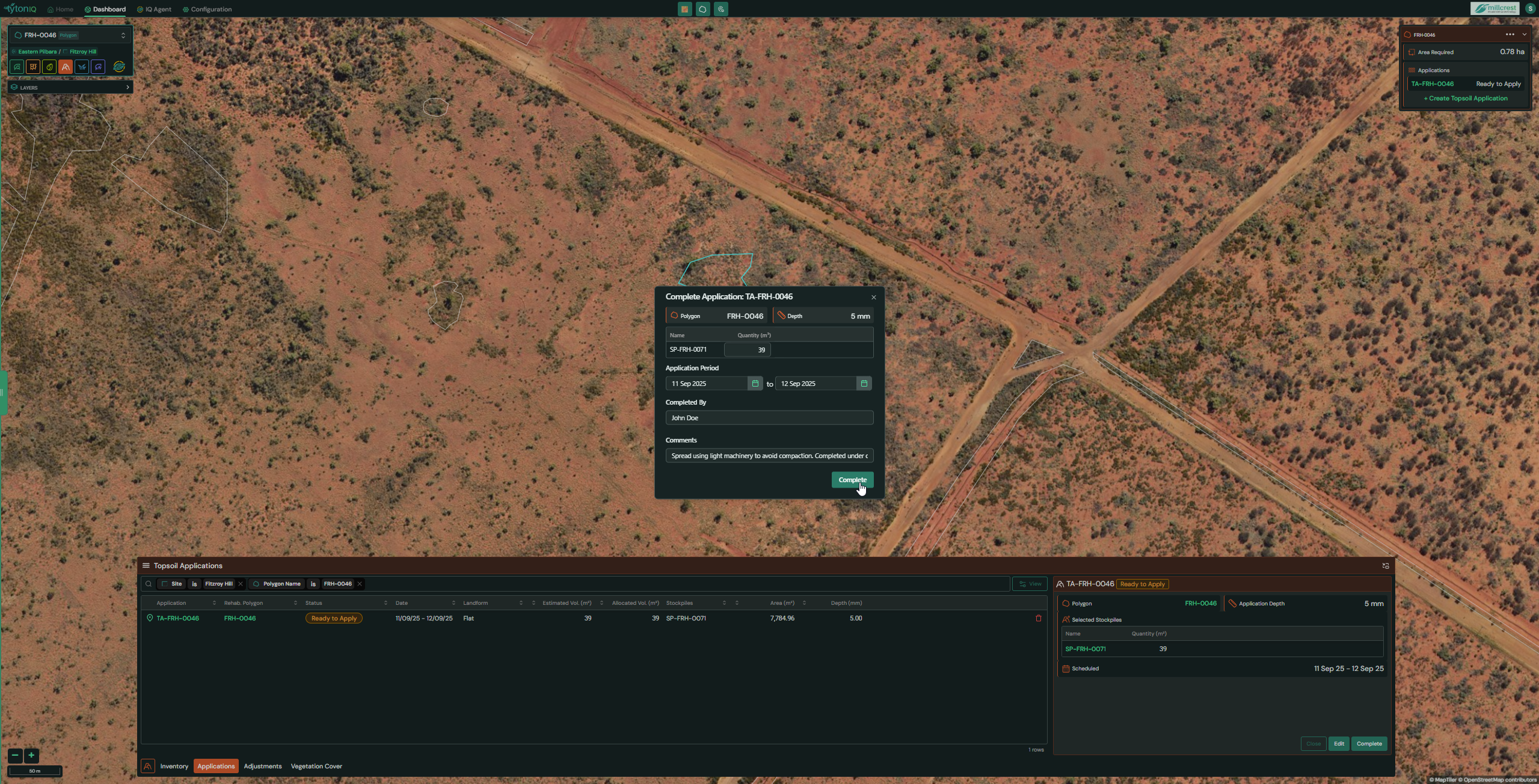
- Click Complete.
- A confirmation window allows you to:
- Adjust the quantity actually moved (if different from estimated).
- Record who completed the work.
- Add comments (e.g., method of application, site conditions, or observations).
-
Click Complete to finalise the record.
Example Comment:
“Spread evenly using light machinery to minimise compaction. Application completed under dry conditions.”
Step 5: Review Completed Applications
- Completed applications will display in the Applications drawer with a Completed status.
- All details, including allocated volumes, application depth, stockpile sources, and comments, are stored for auditing and reporting.
Summary
- Calculate and allocate topsoil volumes based on polygon size and application depth.
- Select stockpiles and track resource usage.
- Record operators, field conditions, and comments for compliance.
- Maintain a full audit trail of rehabilitation activities in TytonIQ.