Seed Applications
Overview
The Seed Applications module in TytonIQ provides a structured workflow for planning, allocating, and tracking seed mixes across rehabilitation polygons. The module ensures that species selection, target cover, and allocated seed quantities align with ecological targets and available inventory. This guide outlines how to initiate, configure, and complete a seed application within TytonIQ.
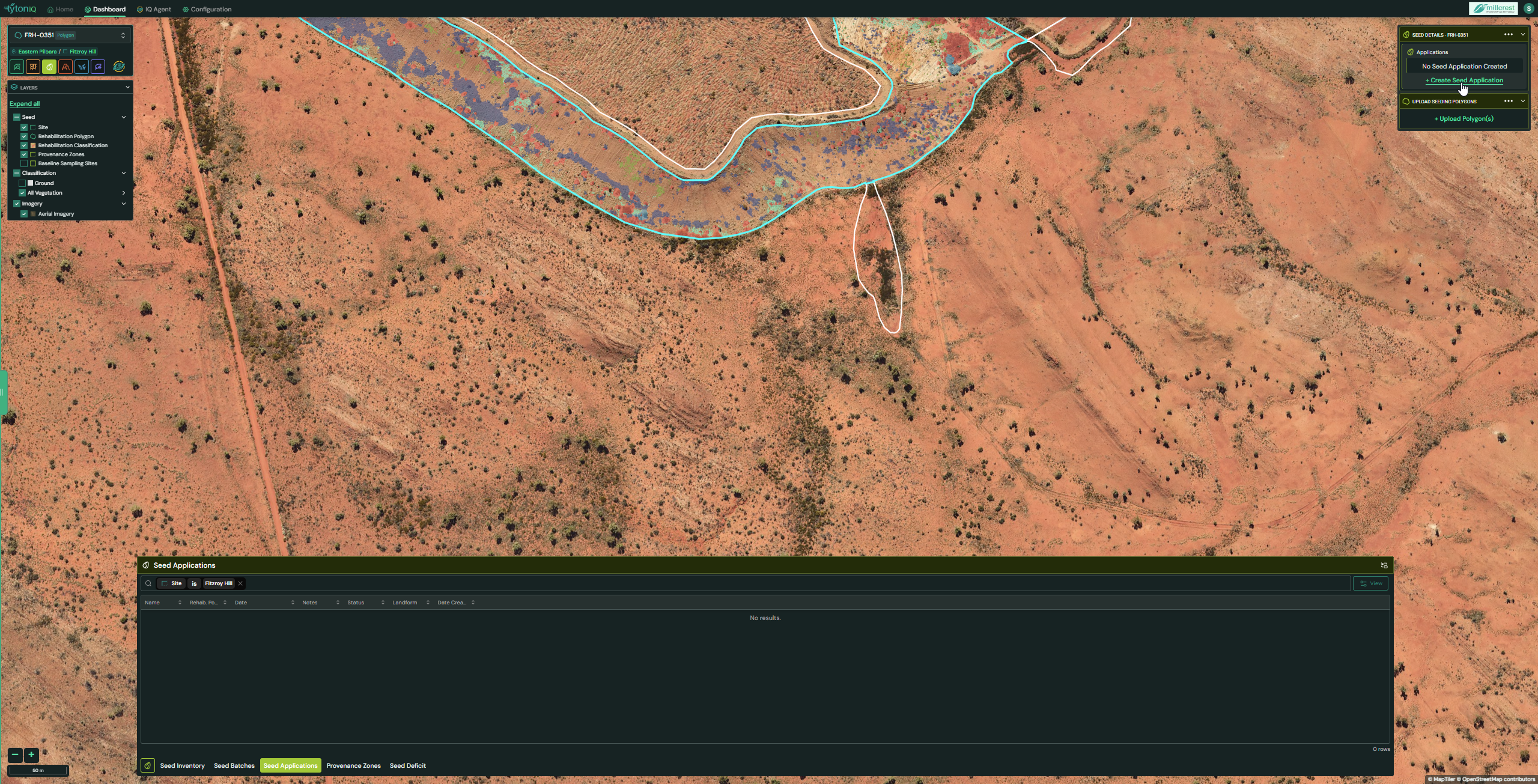
Step 1: Access the Seed Applications Module
- Navigate to Seeds → Seed Applications from the main sidebar.
- Select a polygon to apply a seed application to (highlighted in turquoise on the map).
- Click + Create Seed Application to begin.
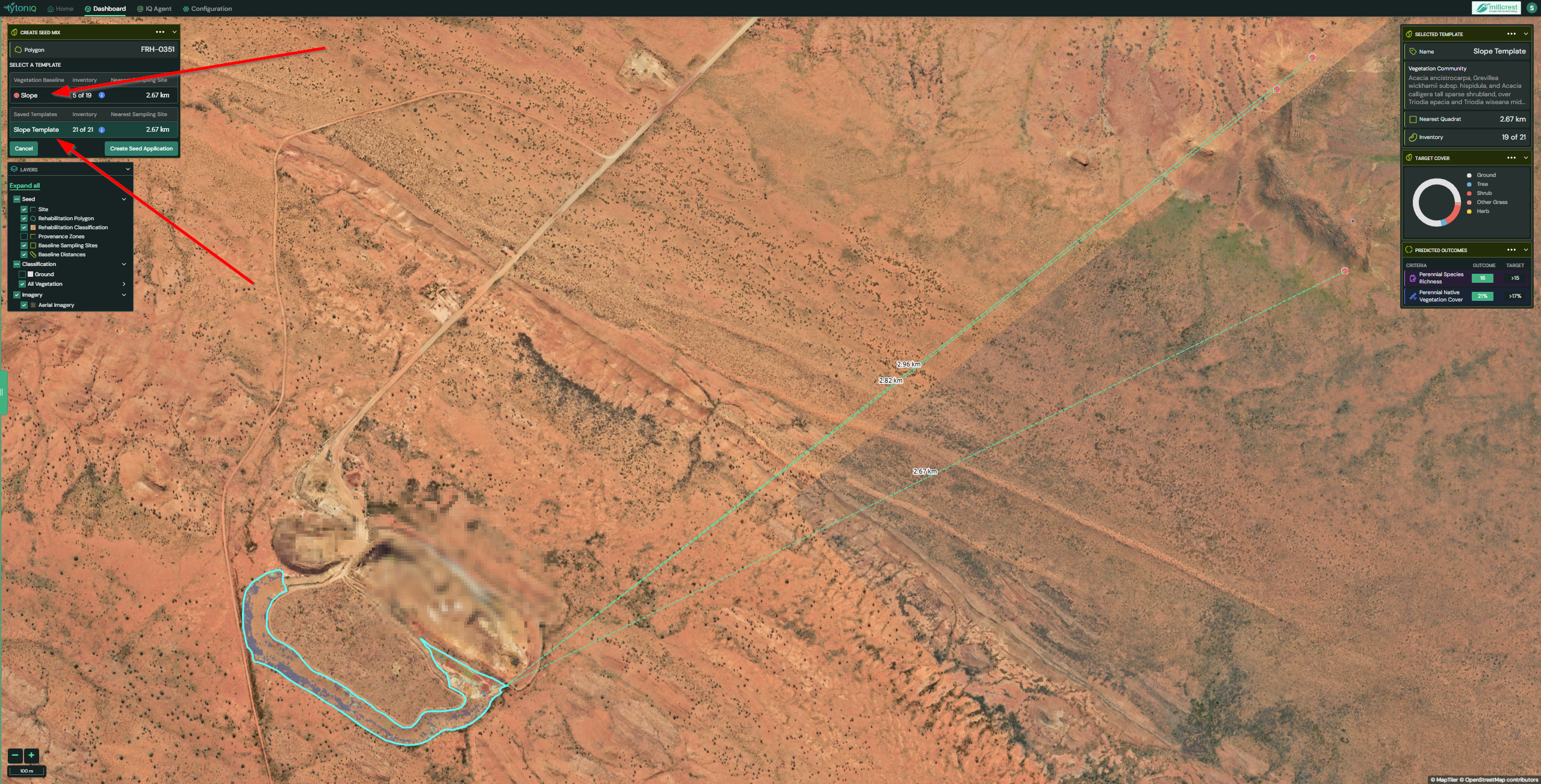
Step 2: Choose an Initialisation Method
When creating a new seed application, you will be prompted to initialise using one of two methods:
- Vegetation Baseline – averages the three closest sampling sites that match the polygon’s landform (e.g., Slope, Flat, Crest).
- Saved Template – applies a pre-configured template from a previous seed application.
In this example, a Saved Template has been selected to pre-populate the seed plan.
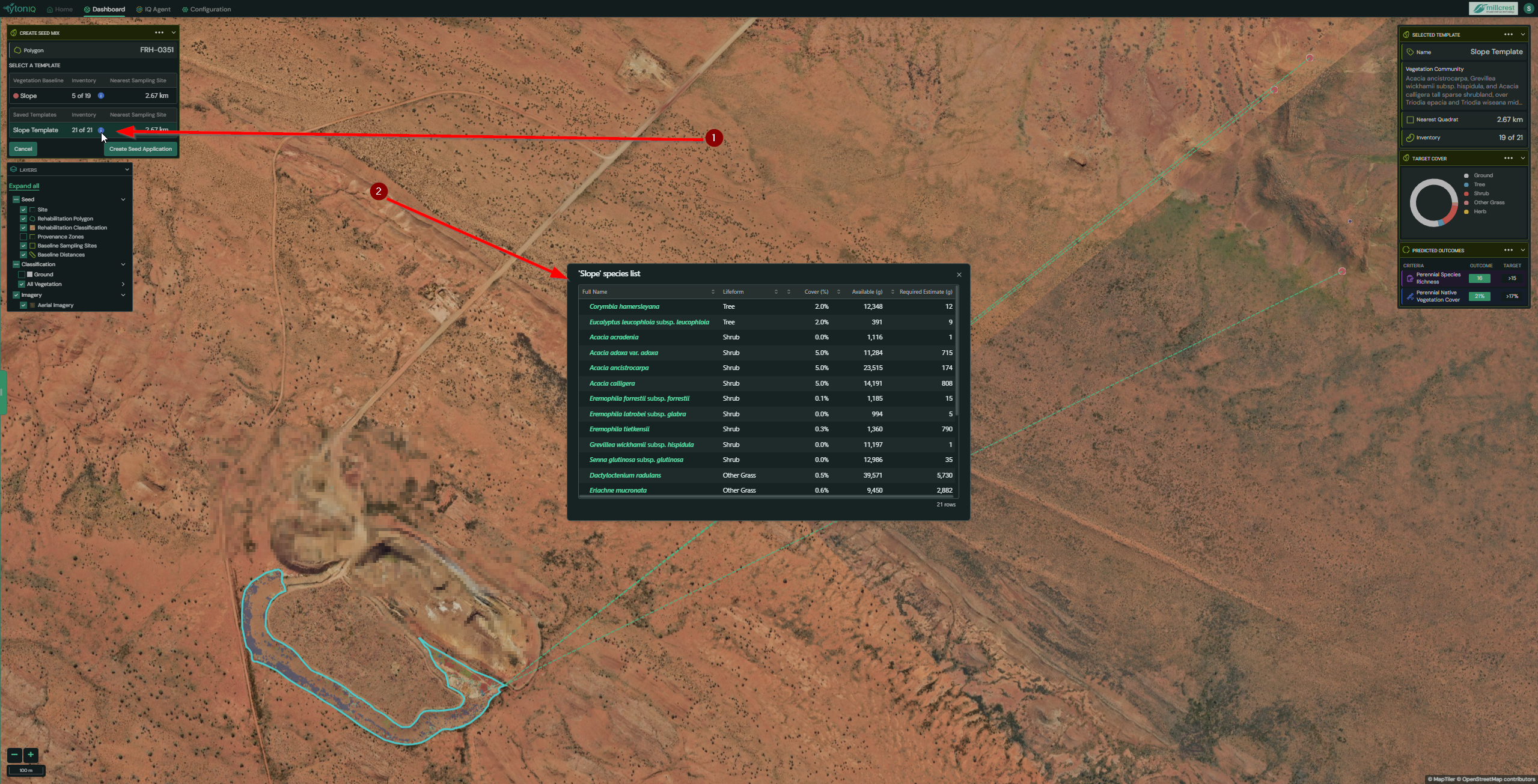
Step 3: Review Baseline and Templates
- Use the Info button next to the Vegetation Baseline to preview included species.
- Use the Info button next to a Saved Template to review species lists from previous applications.
- Once a method is selected, click Create Seed Application.
The right-hand panel will then display contextual details for the polygon, including:
- Vegetation community
- Target lifeform cover
- Predicted outcomes
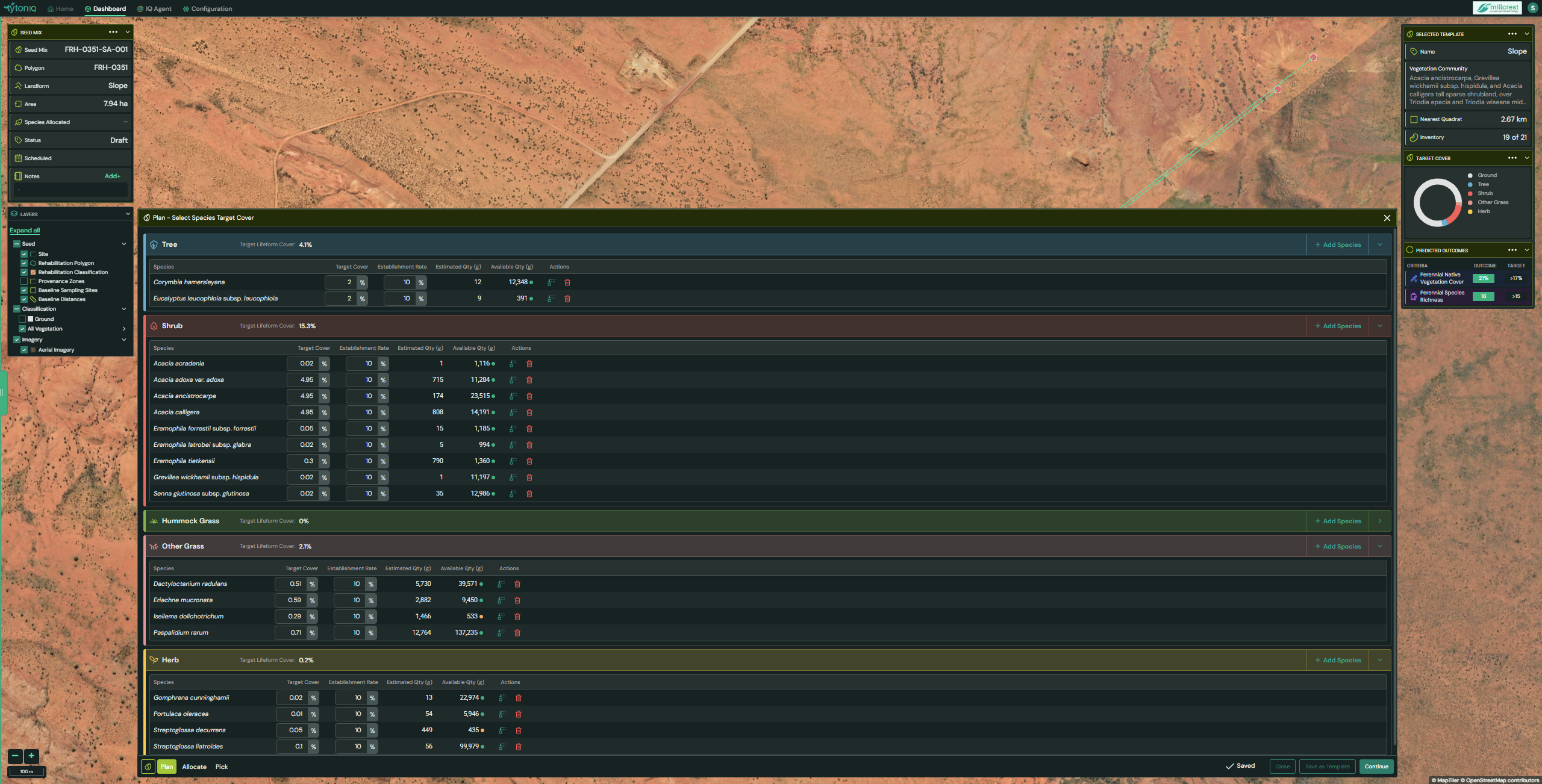
Step 4: Build and Modify the Seed Plan
- The interface displays pre-configured species and their associated target covers.
- Customise the plan as needed:
- If a species has no available seed, click Replace, select a stocked alternative, and confirm.
- You may remove species, but this may alter predicted cover and outcomes.
- Adjustments automatically update the prediction tiles, providing real-time feedback on expected ecological performance.
The configured seed plan is designed to satisfy completion criteria associated with the polygon’s landform type.
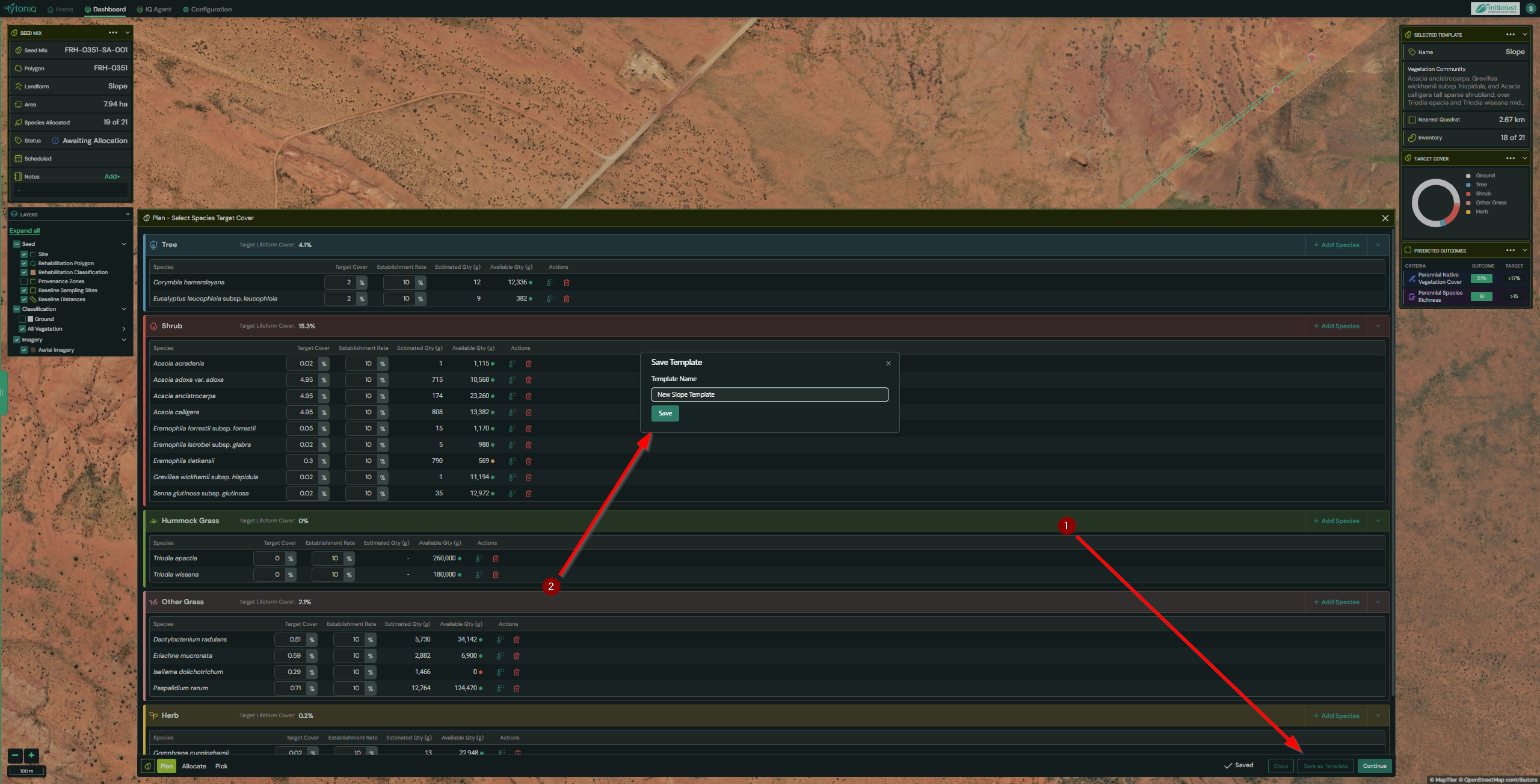
Step 5: Save Your Plan as a Template (Optional)
- Click Save as Template to preserve the current plan for future use.
- Enter a unique template name, then click Save.
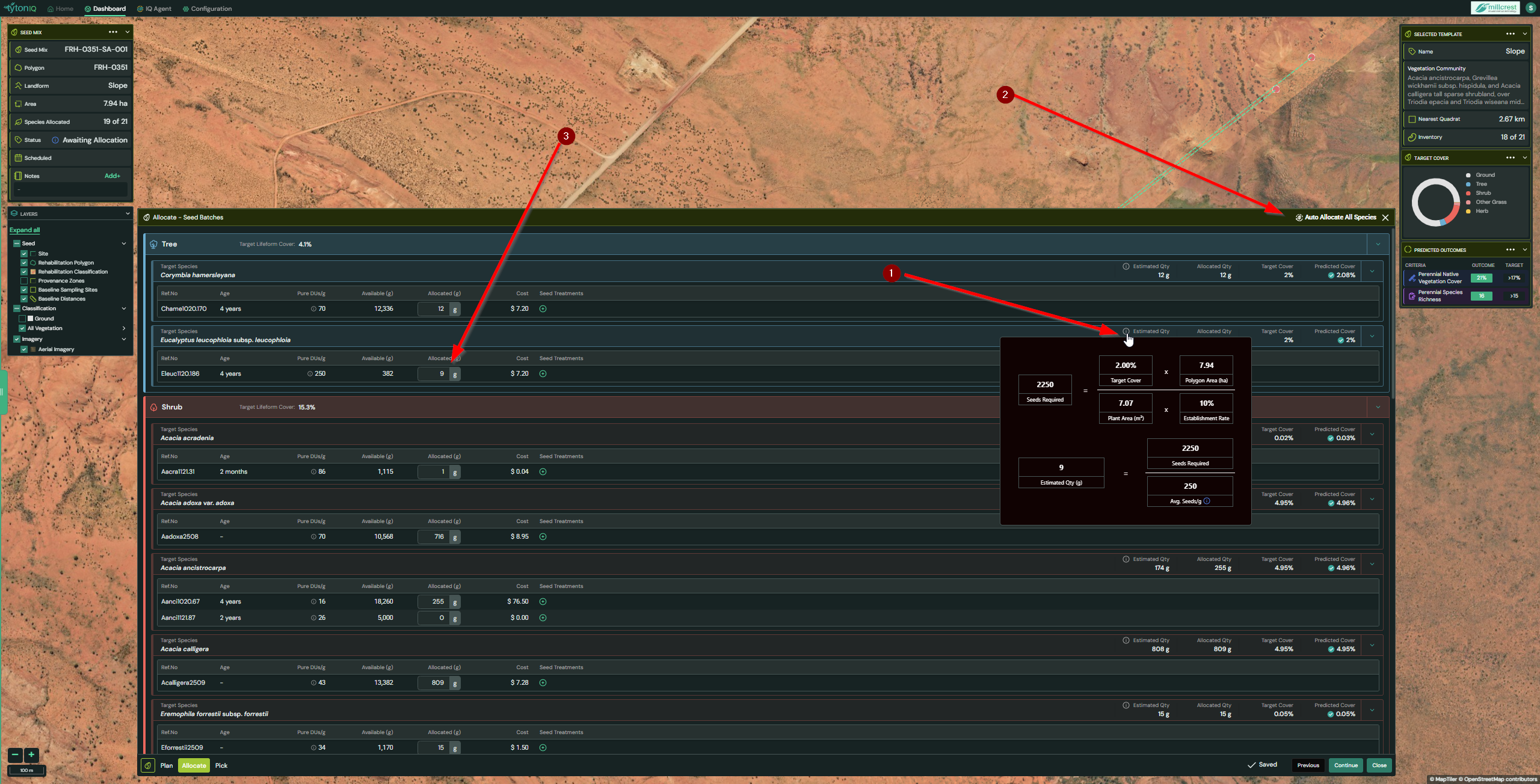
Step 6: Allocate Seed Quantities
- Click Continue to proceed to allocation.
- Use the Estimate Qty info icon to view the quantity suggested by TytonIQ.
- To streamline allocation, click Auto Allocate All Species. TytonIQ will assign quantities automatically based on seed batch age and the estimated quantity formula.
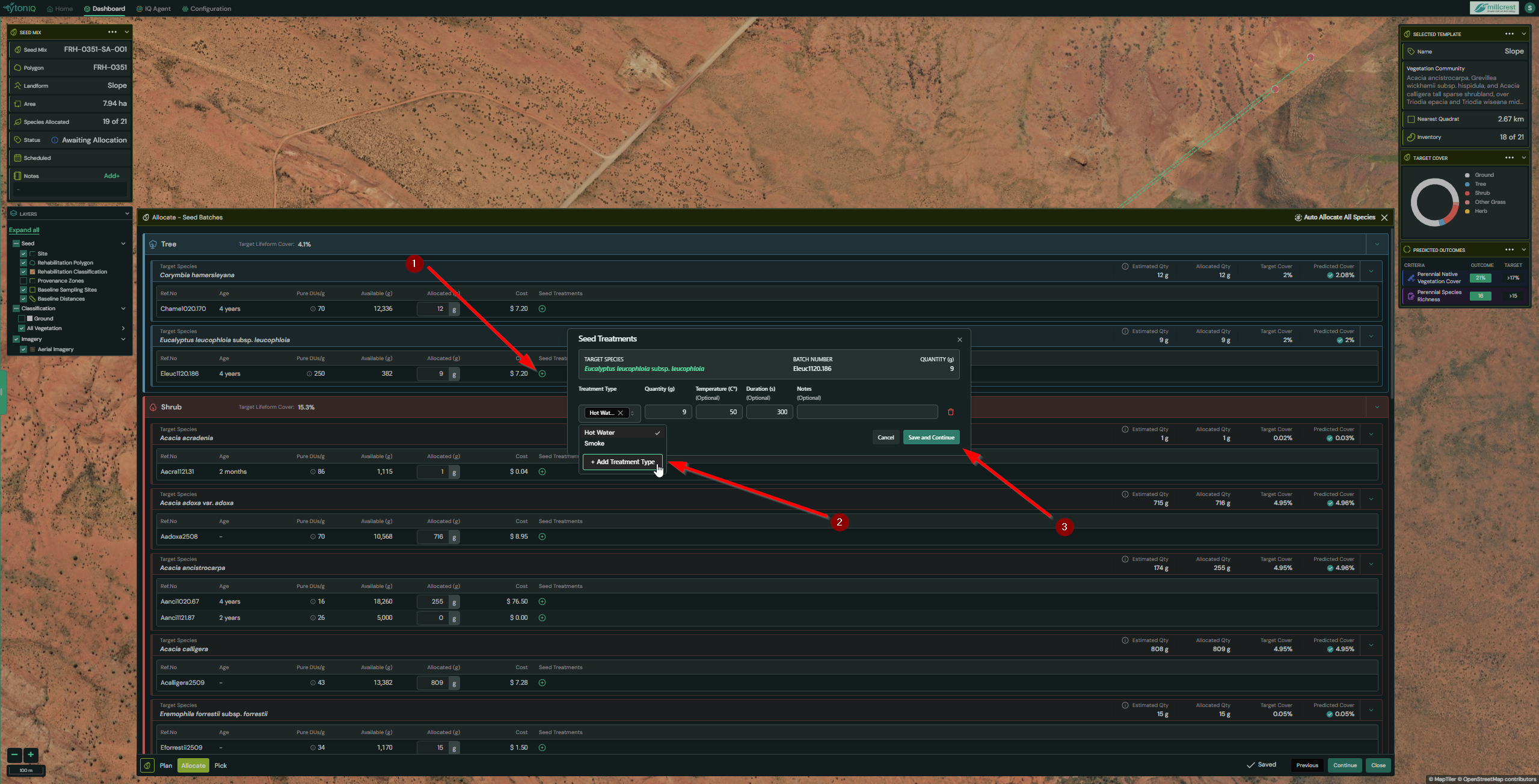
Step 7: Add Seed Treatments (Optional)
- Click + Add Treatment next to any allocated species.
- Select a treatment type (e.g., Hot Water, Smoke).
- Enter the required quantity, temperature, and duration.
- Click Save and Continue to apply the treatment.
⚠️ Treatment quantities cannot exceed allocated quantities.
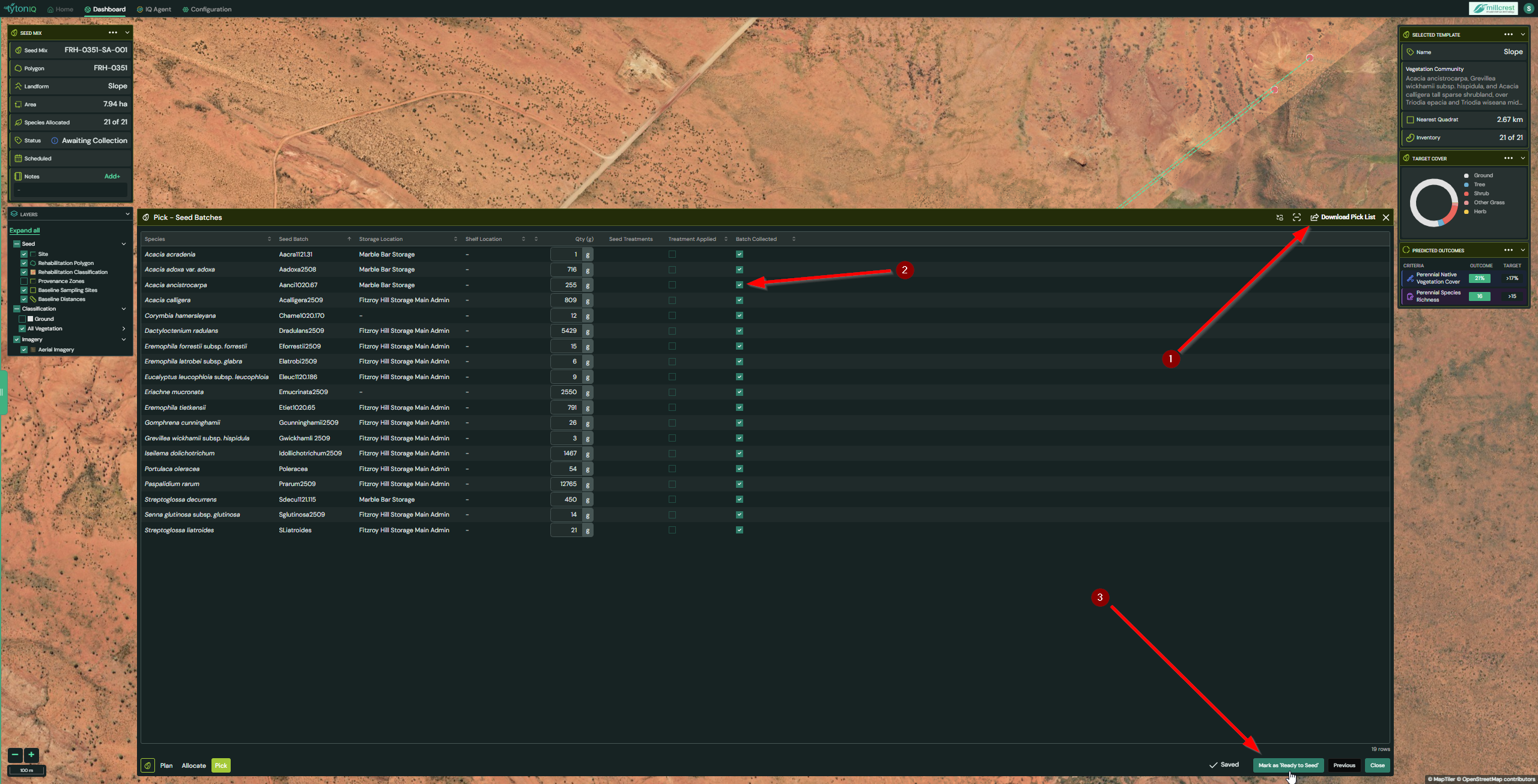
Step 8: Prepare Seed Mix
- Once all species are allocated, click Continue to move to the Pick section.
- Use the Pick interface to mark batches as “collected” when preparing your mix.
- Optionally, click Download Pick List to export a
.csvfile containing batch details and quantities. - This list can be used as a reference when collecting and mixing seed.
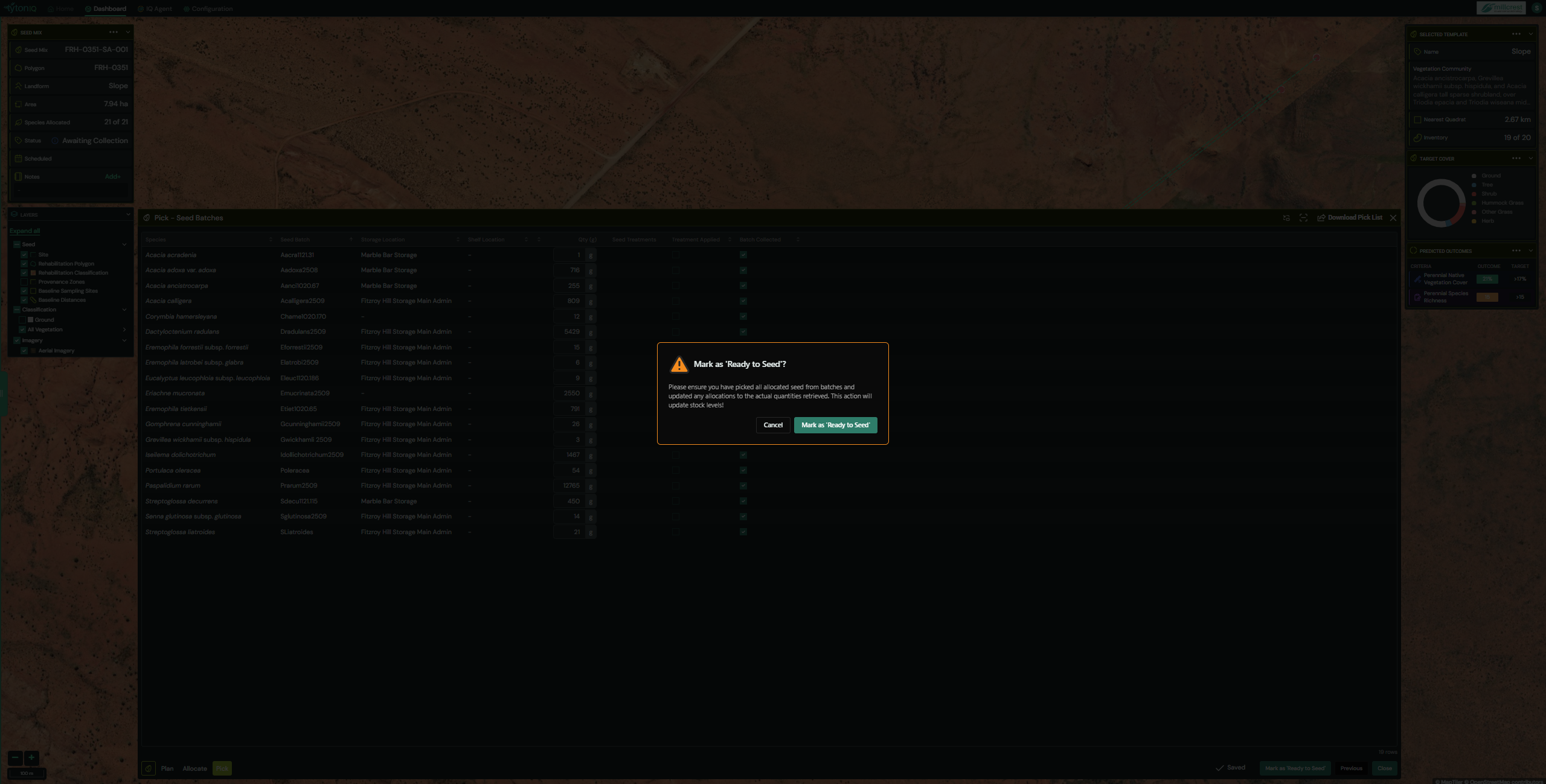
Step 9: Mark Application as Ready to Seed
- Once seed quantities are allocated and batches have been collected:
- Click Mark as ‘Ready to Seed’.
- A confirmation message will appear before finalising the status.
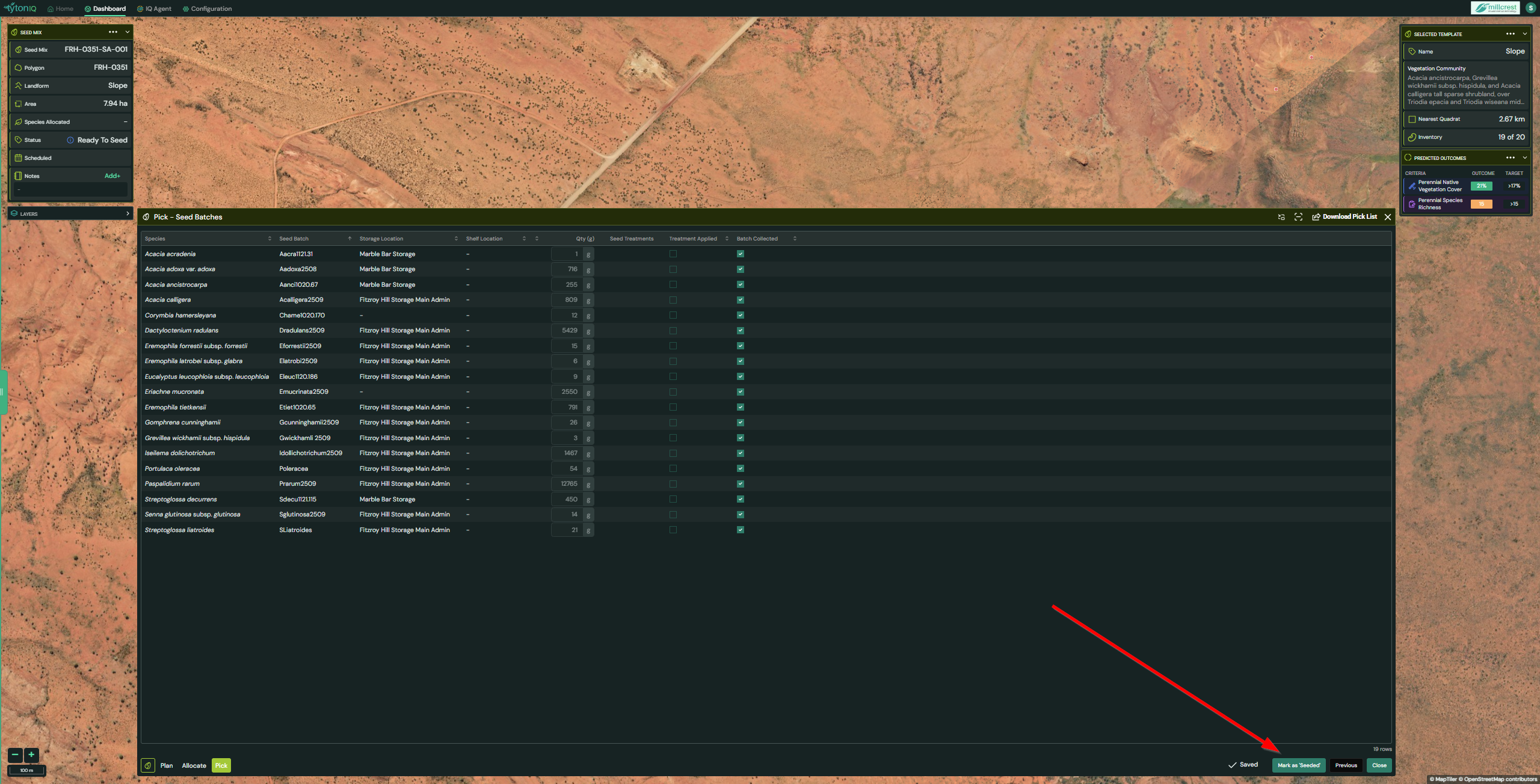
Step 10: Complete the Seed Application
- After seeding has been physically carried out in the field:
- Return to the application in TytonIQ.
- Click Mark as ‘Seeded’.
- The application will then be recorded as Complete.
Summary
The Seed Applications module streamlines the process of building seed mixes aligned with ecological targets. By integrating vegetation baselines, saved templates, and live inventory data, it ensures that seed allocations are accurate, repeatable, and fully traceable for rehabilitation compliance and reporting.
- Ensure "Purity", "Viability", "Germination Rate" and "Seeds Per Gram" are included in your seed batch inventory.
- Seed Stock Management: Track quantities and ensure sufficient seed is available for upcoming rehabilitation programs.
- Compliance & Reporting: Provide auditable records of seed sourcing, stock levels, and applications for regulators.
- Batch Traceability: Identify seed performance by linking applications back to provenance and batch data.