Seed Batches

Overview
The Seed Batches section helps you keep track of all your seed lots in one place. Each batch record shows where the seed came from, how much you have in stock, and the results of any quality testing. This makes it easy to see what’s available, how healthy the seed is, and where it can be used.
With Seed Batches, you can:
- Easily trace your seeds from collection to planting.
- Check quality quickly with details like purity, viability, and germination rates.
- Plan ahead by linking batches to seeding polygons and applications.
- Save time by adding batches manually or importing them in bulk from a CSV.
This gives you confidence that the right seeds are in the right place, ready for use in your rehabilitation projects.
Key Features
Viewing Seed Batches
The bottom drawer lists all available seed batches, identified by Batch ID.
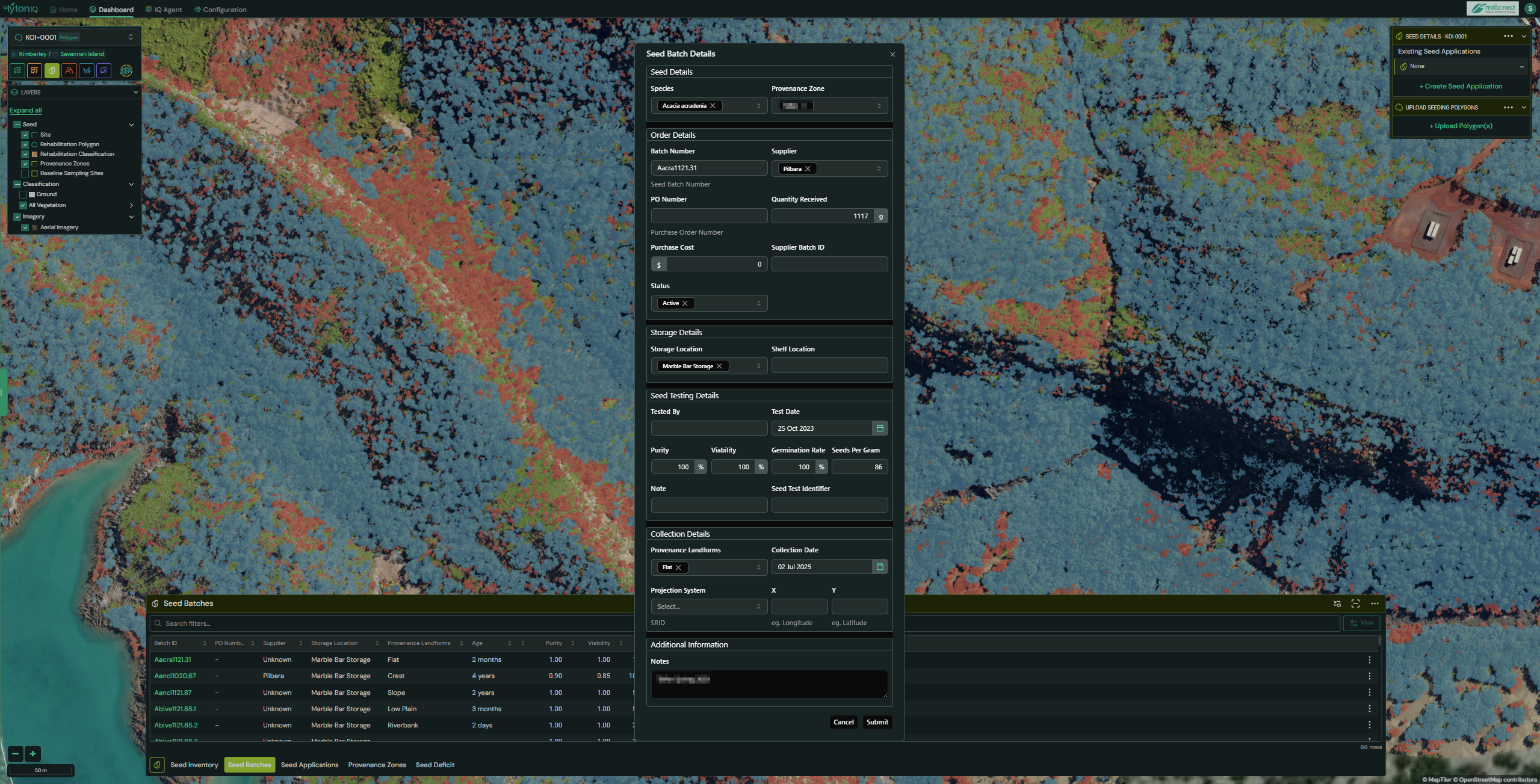
- Selecting a Batch ID opens the Seed Batch Details panel, which displays:
- Seed Details: Species, Provenance Zone.
- Order Details: Batch Number, Supplier, Quantity Received, Purchase Cost, PO Number, Status.
- Storage Details: Location and shelf allocation.
- Seed Testing Details: Purity, Viability, Germination Rate, Seeds per Gram, Test Date, Test Identifier.
- Collection Details: Landform, Collection Date, and optional projection details.
- Additional Information: Notes and identifiers.
To edit an existing batch, select the Edit button at the bottom of the Seed Batch Details panel.
Batch Management Options
On the right-hand side of the bottom drawer are four key functions:
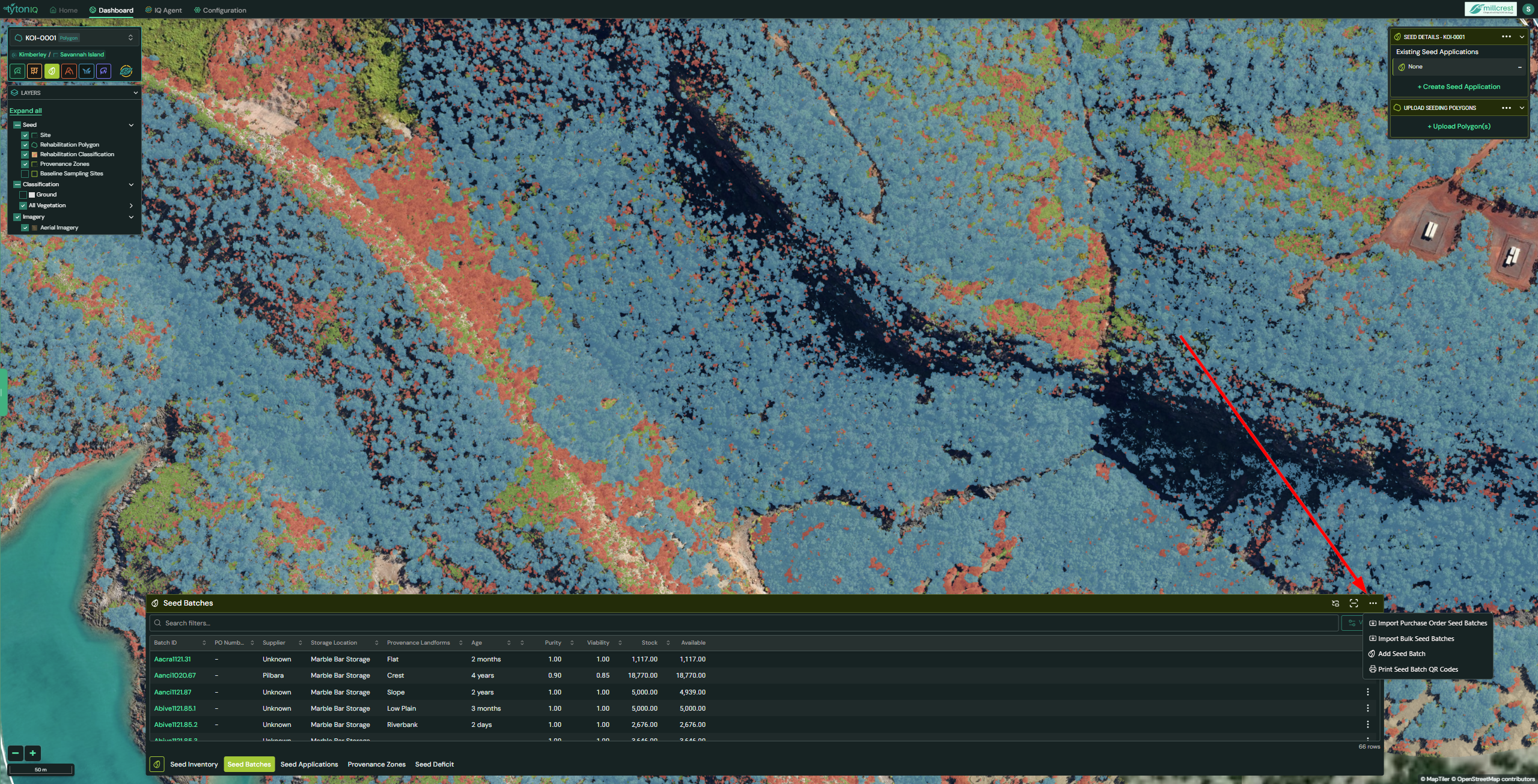
1. Import Purchase Order Seed Batches
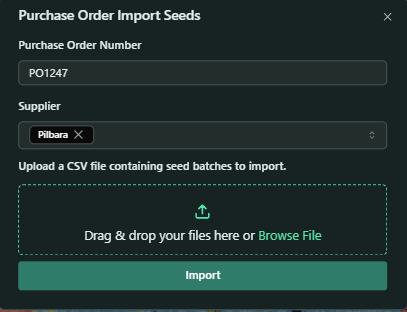
Allows the import of seed batches tied to a purchase order.
- Enter Purchase Order Number and Supplier.
- Upload a
.csvfile containing batch information.
2. Import Bulk Seed Batches
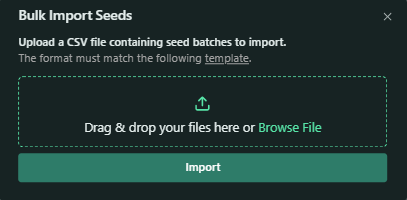
Enables bulk uploads of multiple batches via .csv.
CSV Template Attributes
The following attributes are availalbe in the CSV file for Import Bulk Seed Batches:
| Attribute | Example | Description | Required |
|---|---|---|---|
| Full Species Name | Acacia ampliceps | Scientific name of the species collected. | Yes |
| Provenance Zone | Western Australia | Geographic origin where the seed was collected. | Yes |
| Batch Name | Aamplicep_11 | Internal identifier assigned to the seed batch. | Yes |
| Original Quantity (g) | 2000 | Initial weight of the seed batch recorded. | Yes |
| Quantity Received (g) | 1267 | Actual quantity of seed received into storage. | Yes |
| Purchase Cost ($) | $2.67 | Total cost of the batch at the time of purchase. | Yes |
| Collection Date | 2024/08/03 | Date the seeds were originally collected. | Yes |
| Storage Location | Storage Block A | Internal storage area where the batch is kept. | Yes |
| Shelf Location | Level 2 Shelf B | Specific shelf location within the storage area. | Yes |
| PO Number | PO1237 | Purchase Order identifier associated with the batch. | Yes |
| Provenance Landform | Flat | Landform type of the collection area (e.g., Crest, Slope). | Yes |
| Supplier Batch ID | 580345 | Identifier provided by the external supplier. | Yes |
| Supplier Name | Mooyella | Name of the supplier providing the batch. | Yes |
| Tested By | John Doe | Name of the person who conducted seed testing. | No |
| Test Date | 2024/10/28 | Date the seed test was conducted. | No |
| Purity (%) | 90 | Percentage of the seed batch that is pure seed. | No |
| Viability (%) | 86 | Percentage of seeds capable of germinating under favourable conditions. | No |
| Germination Rate (%) | 64 | Percentage of seeds that successfully germinated during testing. | No |
| Seeds Per Gram | 8 | Number of seeds per gram of the batch. | No |
| Longitude | 37.7749 | Longitude of the seed collection location in decimal degrees. | No |
| Latitude | -122.4194 | Latitude of the seed collection location in decimal degrees. | No |
| Notes | Fitzroy Hill Spring 2025 | Any additional notes or project-related comments. | No |
Example CSV Table:
| Full Species Name | Provenance Zone | Batch Name | Original Quantity (g) | Quantity Received (g) | Purchase Cost ($) | Collection Date | Storage Location | Shelf Location | PO Number | Provenance Landform | Supplier Batch ID | Supplier Name | Tested By | Test Date | Purity (%) | Viability (%) | Germination Rate (%) | Seeds Per Gram | Longitude | Latitude | Notes |
|---|---|---|---|---|---|---|---|---|---|---|---|---|---|---|---|---|---|---|---|---|---|
| Acacia ancistrocarpa | Tom Price | Batch123 | 2000 | 2000 | 600 | 01/10/2020 | Example Location | A1 | PO123 | Slope | FF0171 | Mooyella | Lab A | 25/10/2023 | 95 | 92 | 90 | 21 | 120.45 | -23.89 | Spring collection |
3. Add Seed Batch
Allows you to create a new seed batch in TytonIQ.
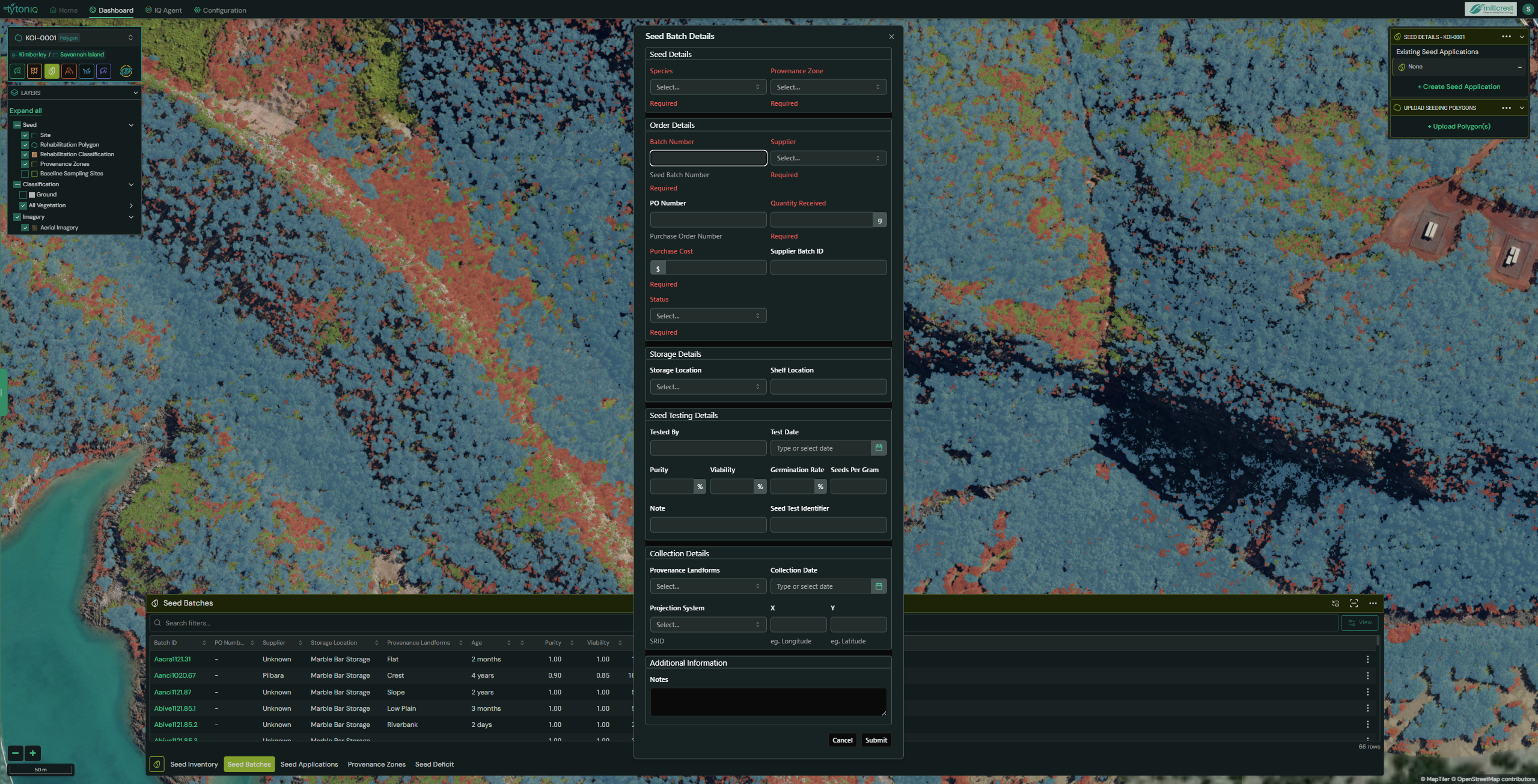
Mandatory fields are shown in RED when missing.
- Species
- Provenance Zone
- Batch Number
- Supplier
- Quantity Received
- Purchase Cost
- Status
4. Print Seed Batch QR Codes
Generates QR codes for batch labelling.
- QR codes can be printed for all batches or for an individual batch (via the three-dot menu).
- These codes link directly to batch details, making updates possible during Seed Applications.
Individual Batch Actions
Selecting the three-dot menu beside a batch provides quick actions:
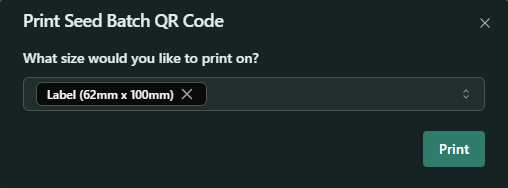
- Print – Generate a QR code for the specific batch.

- Deactivate – Archive the batch (no longer active for applications).
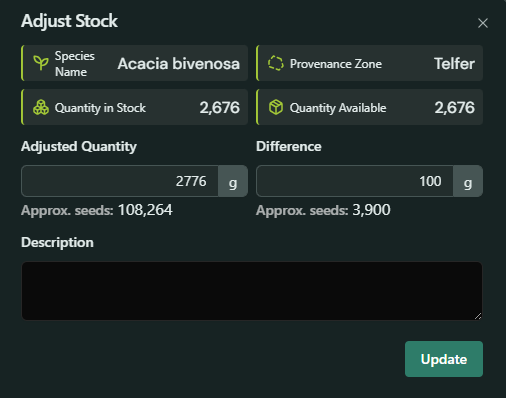
- Stock Adjust – Modify the stock quantity when discrepancies occur.
- Enter an Adjusted Quantity and the system will calculate the Difference (or vice-versa).
- Useful for reconciling physical stock counts against digital records.
Usage Scenarios
- Traceability: Maintain a complete record of seed sourcing, testing, and usage.
- Quality Control: Link purity, viability, and germination test results to each batch.
- Inventory Accuracy: Adjust stock in real time as batches are used or audited.
- Field Integration: Use printed QR codes to manage seed batches during seeding operations.
- Regulatory Compliance: Provide auditors with batch-level evidence of provenance and testing.
- Always validate seed batch details before import.
- Link seed batches to correct provenance zones to maintain traceability.
- Enter seed testing results to aid in application decision-making.
- Monitor Stock Alerts regularly to plan reorders in advance.
- Accurately calculate seed requirements for polygons based on seeds per gram.